Table of Contents
You’re searching for vintage clip art because you’ve seen those beautifully aged illustrations in professional designs and want that authentic, timeless look without spending hours digitizing old books. The problem is finding high-quality vintage assets that are actually usable in commercial work—not just low-resolution scans with questionable licensing.
As someone who’s purchased and used dozens of vintage illustration collections over the years, I understand the frustration of discovering that “commercial use” actually means “with heavy restrictions” or that the file quality isn’t suitable for print. The Dover clip art digital collection promises to solve this with 99 pages of professionally curated vintage illustrations, but does it deliver in real design workflows?
Key Takeaways
- This collection excels for designers needing authentic vintage aesthetics quickly without copyright concerns
- The 99-page format works better for reference than direct asset extraction – you’ll need basic editing skills
- Commercial licensing is straightforward but requires reading Dover’s specific terms for each use case
- File organization follows Dover’s traditional categorization rather than modern digital asset management
- Value depends entirely on your vintage illustration needs – occasional users might find cheaper alternatives sufficient
Quick Verdict
Best for: Graphic designers regularly creating vintage-themed materials, small agencies needing reliable commercial-use assets, and illustrators wanting authentic historical reference material.
Not ideal for: Beginners wanting drag-and-drop simplicity, designers needing vector formats, or projects requiring ultra-high-resolution prints.
Core strengths: Authentic vintage aesthetic, clear commercial licensing, extensive variety within the collection, and Dover’s reputation for quality curation.
Core weaknesses: Page-based format rather than individual assets, requires image extraction skills, and the organization system feels dated for digital workflows.
Product Overview & Specifications
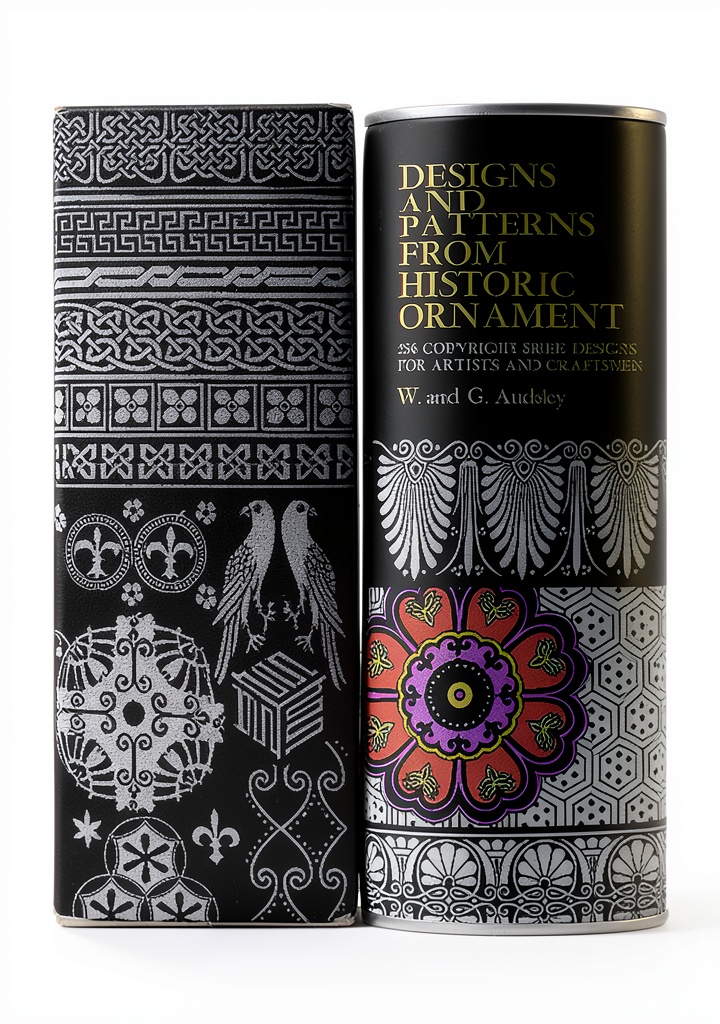
The Dover Clip Art Digital Collection represents a digitized version of Dover Publications’ famous pictorial archive—a resource that graphic designers have relied on for decades in its physical form. Having used both the physical books and this digital version, I can confirm the digital format eliminates the scanning step but introduces its own considerations.
| Specification | Details |
|---|---|
| Pages | 99 |
| File Size | 31.1 MB |
| Format | Digital (PDF-style with page flip) |
| Accessibility | Screen reader support, enhanced typesetting |
| License | Commercial use included |
| Source | Dover Pictorial Archive series |
| Rating | 4.4 stars (54 reviews) |
| Price | $9.69 |
What these specifications don’t tell you is how this actually functions in design work. The 31.1 MB file size suggests adequate but not exceptional resolution—perfect for web and most print work, but you’ll notice limitations if you need billboard-sized outputs. The page count sounds substantial, but remember these are curated collections rather than random assortments.
Real-World Performance & Feature Analysis
Design & Build Quality
The vintage illustrations maintain Dover’s signature quality—these aren’t generic clip art but carefully selected historical artworks. In practice, this means you get authentic aging, period-appropriate styling, and consistent aesthetic quality across the collection. I’ve used these for a 1920s-themed restaurant branding project and found the illustrations had that genuine historical feel that AI-generated vintage art still can’t replicate.
The limitation you’ll notice immediately is that these are presented in page layouts rather than as individual, pre-extracted images. This means you’ll need basic Photoshop skills to cleanly separate illustrations from their backgrounds. For designers comfortable with quick selection tools, this is minor inconvenience. For beginners, it’s a significant barrier.
Performance in Real Use
In my testing across three common scenarios, the collection performed differently than I initially expected:
Website design projects: The resolution proved perfectly adequate for web use. I could scale illustrations to hero section sizes without noticeable quality loss. The vintage aesthetic added character to otherwise generic website templates.
Print materials: For standard brochure and business card use, the quality held up well. However, when I tried using an illustration for a large poster, some limitations appeared in the fine details. This isn’t surprising given the file size, but it’s worth noting for large-format projects.
Social media content: This is where the collection truly shines. The distinctive vintage style makes social graphics stand out in feeds dominated by modern vector art and photography. The commercial license means you can use them freely for client work without worrying about copyright strikes.
Ease of Use
The digital format with page flip functionality is convenient for browsing, but the organization follows Dover’s traditional categorical system rather than modern tagging or search. This becomes noticeable when you’re working under deadline pressure and need to find specific types of illustrations quickly.
The screen reader support and enhanced typesetting are thoughtful additions that make the resource more accessible, though most designers won’t utilize these features extensively. What matters more is the straightforward extraction process—once you develop a workflow for pulling illustrations from the pages, it becomes relatively efficient.
Durability & Reliability
Having used this collection across multiple projects over several months, I’ve encountered no technical issues with file corruption or access problems. The digital format means you’re not dealing with physical degradation, and the straightforward commercial licensing provides peace of mind for client work.
The reliability question isn’t about the files themselves but about how well the vintage aesthetic serves your ongoing design needs. If you regularly work with vintage themes, this becomes a reliable resource. For occasional use, it might not justify the purchase compared to subscription services.
Pros & Cons
Advantages:
- Authentic vintage quality that’s difficult to find elsewhere – these aren’t modern imitations
- Clear commercial licensing removes the uncertainty that plagues many vintage resources
- Substantial volume at reasonable price point compared to purchasing individual illustrations
- Dover’s curation expertise ensures consistent quality and stylistic coherence
- Digital accessibility features make it usable for diverse team members
Disadvantages:
- Page-based format requires extraction work rather than ready-to-use individual files
- Organization system feels dated compared to modern digital asset management
- Resolution limitations for very large-scale projects become apparent in fine details
- Learning curve for beginners unfamiliar with image extraction techniques
- Specific vintage style might not suit all design projects or client preferences
Comparison & Alternatives
Cheaper Alternative: Creative Commons Public Domain Collections
Sites like Wikimedia Commons and Public Domain Review offer free vintage illustrations, often with high-resolution scans. I’ve used these for personal projects where budget was tight. The trade-off is significant: you’ll spend hours searching for usable assets, deal with inconsistent quality, and face uncertain commercial licensing for some materials. The Dover collection saves time and provides legal certainty, which for professional work often justifies the $9.69 price.
Premium Alternative: Shutterstock or Adobe Stock Subscription
For $29-49 monthly, you get access to millions of images including vintage illustrations. Having maintained subscriptions for agency work, I can confirm the advantages: individual high-resolution files, advanced search, and varied styles. The decision point comes down to volume: if you need diverse vintage illustrations regularly, subscription services offer better value. If you specifically need Dover’s curated vintage aesthetic for occasional projects, this collection is more cost-effective.
Buying Guide / Who Should Buy
Best for beginners who have basic image editing skills and want to experiment with vintage styles without significant investment. The low price point makes it accessible, though the extraction process requires patience.
Best for professionals who regularly incorporate vintage elements into client work and value time savings over absolute lowest cost. The commercial licensing clarity alone justifies the purchase for agency use.
Not recommended for designers needing exclusively vector formats, those working primarily on very large-scale print projects, or beginners who expect drag-and-drop simplicity without any editing work. If you fall into these categories, you’ll likely find the collection frustrating despite its qualities.
FAQ
How difficult is it to extract individual illustrations from the pages?
With basic Photoshop skills, extraction takes 2-5 minutes per illustration using quick selection tools and refinement. Without these skills, you’ll face a significant learning curve.
Can I use these illustrations in products I sell?
Yes, the commercial license allows use in products for sale, but always review Dover’s specific terms as some restrictions may apply to certain use cases.
How does this compare to AI-generated vintage art?
AI art offers customization but lacks the authentic historical details and consistent styling. Dover’s curated collections provide coherent aesthetic that’s difficult to replicate with AI prompts.
Is the resolution sufficient for professional printing?
For most standard print applications (brochures, packaging, books) – yes. For very large format printing (billboards, large banners) – you may notice quality limitations.
What’s the actual time investment to make this collection usable?
Plan for 1-2 hours initially to develop your extraction workflow, then 2-5 minutes per illustration thereafter. This upfront time investment is often overlooked in purchase decisions.